
Starting as low as $45/month
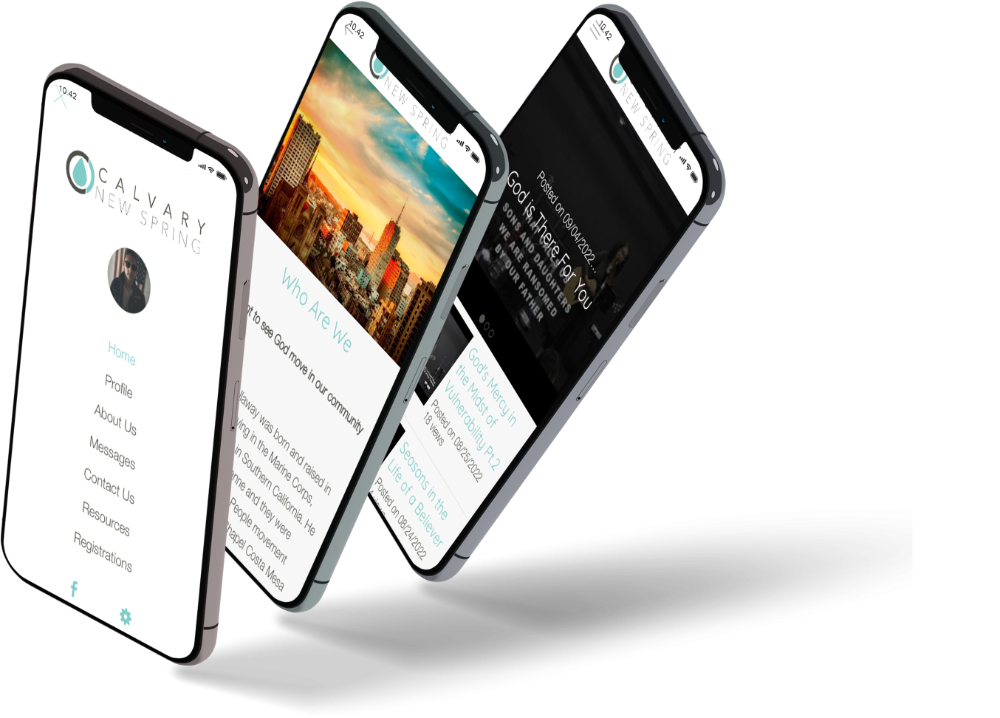
The best no-code solution to create an app
NO CODING SKILLS REQUIRED! That's right, you read that correctly. With a few clicks of the mouse you'll be on your way to creating a custom mobile app for your business or organization. Our mobile apps integrate with our websites flawlessly. Did you know that 91% of adults have their mobile phone within arms reach 24/7? Almost 2/3 of mobile phone time is spent on apps. And, research has shown an 80% increase in app usage compared to prior years. Apps are a great way to communicate with your users.
❝ One of the best app builders we've used. If you want to make your app using a powerful tool, Greedbegone is the way to go! ❞
Your own amazing mobile app on the App Store, Google Play and the web.
Full Native Technology
Native Apps
Greedbegone makes it easy to build iOS or Android apps without writing any code. You get all the benefits of a native app without the work of coding, which means you can spend more time making your app even better.
App Store and Google Play Store
Greedbegone handles the heavy lifting of publishing your mobile apps on both, Apple's App Store and Google Play Store. We also offer iOS and Android development services to build from scratch if that's what you need.
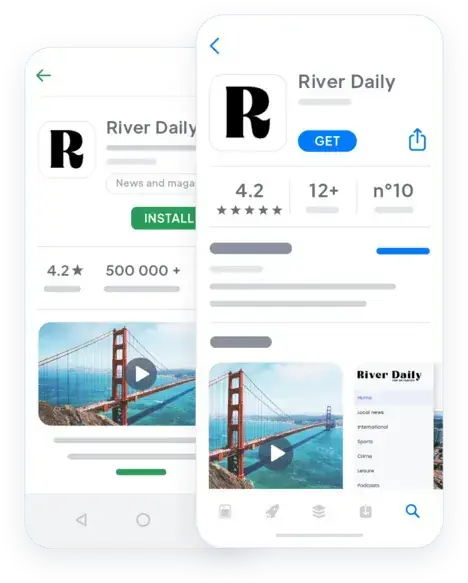
Greedbegone's app builder is a powerful, unified interface that can manage all your content, product, orders, team members and statistics -all in one place. It saves you time and helps you make better decisions about your business/organization.
Connectors: 30+ connectors
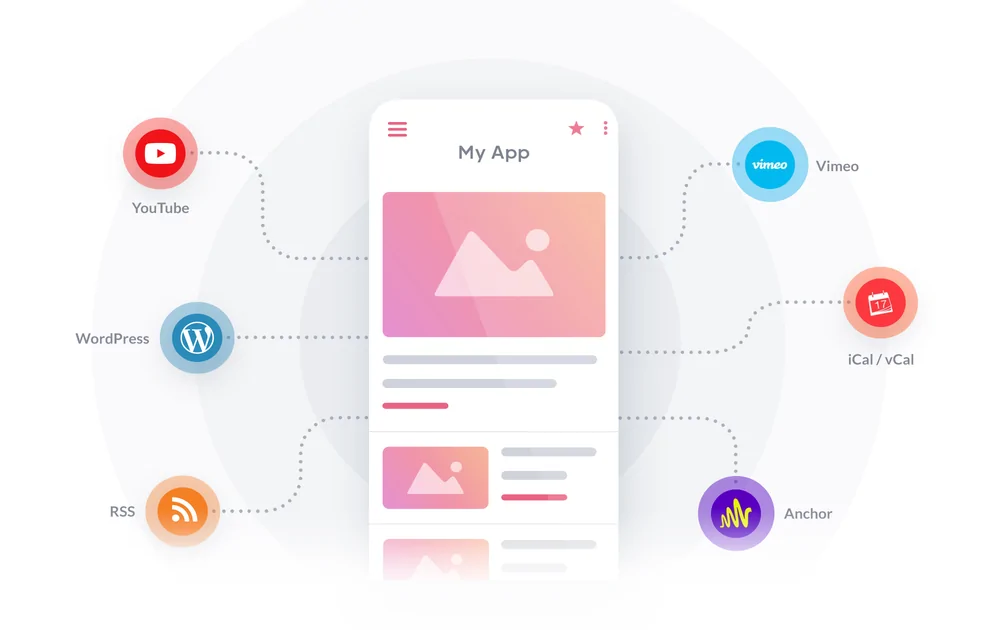
Now create engaging content directly from the back-office of your app or use one of our 30+ connectors (e.g. Shopify) to sync data from other platforms to update the data on your app.
A powerful backend
Create content, manage orders, communicate with users - everything you need to run a successful business/organization right from the back-office of your app. And we're always adding new features to make it even easier!
Greedbegone is the perfect platform for any aspiring builder to create their own custom mobile app. You can customize your app to suit your needs with our easy-to-use drag and drop editor.
Design with ease
The design process has never been easier. Simply choose an app template, customize it with your brand's colors, fonts and logos, and add in the content you want.
Mobile first design
We know how important it is that your app performs well on mobile devices. That's why we make sure every last detail is optimized for the small screen including images and videos - so your users get the best user experience possible.
Fast & responsive
Your custom mobile app will be up and running in no time! We've got a lightning fast rendering engine that allows us to generate a preview of your final design in seconds. It doesn't matter if you're on a desktop or mobile device!
At Greedbegone, we offer more than 500 features and extensions to make your app perfect. Whether you need extra security, better user experience, or anything else - you'll find it here.
Build the perfect app for your needs
We offer a wide variety of features and extensions that cover every need for mobile app development - from security to design. Browse our catalog or contact our team of experts to help find the best match for your project.
It's never too late for a change
Don't like where your app is heading? Add or remove features on-the-go with our in-app section options. You can also contact us to discuss your needs and we'll do everything we can to make sure you are 100% satisfied!
Greedbegone is a complete publishing solution that helps you promote your app to over the web with ready-made widgets and buttons. Once you've started to build an audience, get to know it better with built-in advanced analytics, and engage using push notifications.
Publish everywhere
Create a website, blog or social media account in minutes. Use the drag-and-drop editor to effortlessly publish content and share it on social media.
Advanced analytics at your fingertips
Monitor what people are saying about you or your app, engage them if they have questions and help them spread the word by sending push notifications.
Greedbegone's app builder is a powerful, unified interface that can manage all your content, product, orders, team members and statistics -all in one place. It saves you time and helps you make better decisions about your business/organization.
Connectors: 30+ connectors
Now create engaging content directly from the back-office of your app or use one of our 30+ connectors (e.g. Shopify) to sync data from other platforms to update the data on your app.
A powerful backend
Create content, manage orders, communicate with users - everything you need to run a successful business/organization right from the back-office of your app. And we're always adding new features to make it even easier!
Greedbegone is the perfect platform for any aspiring builder to create their own custom mobile app. You can customize your app to suit your needs with our easy-to-use drag and drop editor.
Design with ease
The design process has never been easier. Simply choose an app template, customize it with your brand's colors, fonts and logos, and add in the content you want.
Mobile first design
We know how important it is that your app performs well on mobile devices. That's why we make sure every last detail is optimized for the small screen including images and videos - so your users get the best user experience possible.
Fast & responsive
Your custom mobile app will be up and running in no time! We've got a lightning fast rendering engine that allows us to generate a preview of your final design in seconds. It doesn't matter if you're on a desktop or mobile device!
At Greedbegone, we offer more than 500 features and extensions to make your app perfect. Whether you need extra security, better user experience, or anything else - you'll find it here.
Build the perfect app for your needs
We offer a wide variety of features and extensions that cover every need for mobile app development - from security to design. Browse our catalog or contact our team of experts to help find the best match for your project.
It's never too late for a change
Don't like where your app is heading? Add or remove features on-the-go with our in-app section options. You can also contact us to discuss your needs and we'll do everything we can to make sure you are 100% satisfied!
Greedbegone is a complete publishing solution that helps you promote your app to over the web with ready-made widgets and buttons. Once you've started to build an audience, get to know it better with built-in advanced analytics, and engage using push notifications.
Publish everywhere
Create a website, blog or social media account in minutes. Use the drag-and-drop editor to effortlessly publish content and share it on social media.
Advanced analytics at your fingertips
Monitor what people are saying about you or your app, engage them if they have questions and help them spread the word by sending push notifications.
❝ Great support and constant updates! Greedbegone just keeps getting better and better. ❞
Over 90+ extensions available at your fingertips
Time to take your app to the next level
Feature Rich
and growing
Target users according to their behavior. (Native)
Target the users who will receive push notifications according to: the number of times they’ve opened the app in the last 30 days, their app version, or for instance, only target the users who’ve never received a push notification before.
Target users according to their device. (Native)
Target the users who will receive push notifications according to the device they use.
Geographical targeting
(Native)
Target the users who will receive push notifications according to their geographical position.
Push notifications statistics
Analyze the performance of your notifications by using statistics on their open rate and click-through rate.
Anti-flood security
A server safety system prevents mistakes, such as repeated deliveries or unintentional delivery of a large number of push notifications over a very short period of time.
Dispatch time restriction
For scheduled push notifications you can select the hours within with users will receive notifications: at any time, during defined time windows or during a specific time slot.
Sending manual notifications to users
You can send notifications manually to your users for one time communication with your audience.
Choosing the action upon opening the notification
Define the action which will be triggered upon users opening the push notification: opening the app, being directed towards the Home or a specific section, or an external link.
Scheduling future dispatches
Precisely schedule the dispatch of manual push notifications by selecting the date and time of dispatch. Activate the local time option to remain relevant to international users.
Real-time notification preview
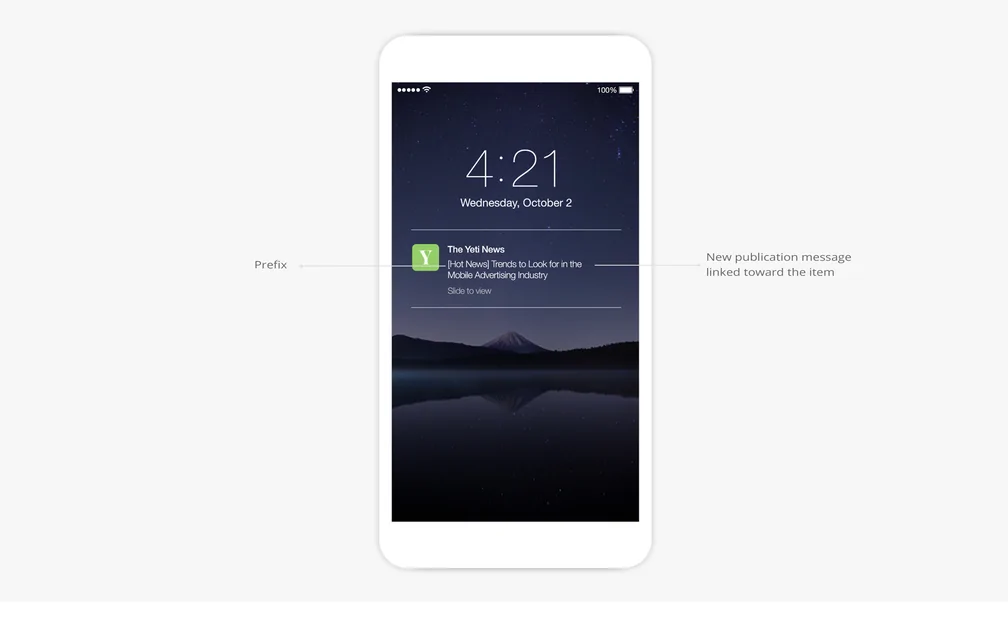
Your Greedbegone back office lets you preview how your notification will be displayed on your users’ devices in real time.
Real-time calculation of the number of recipients
Visualize the number of recipients for your push notification based on the targeting rules you’ve applied in real time.
Complete history of sent notifications
Check the full history of push notifications sent with the title, description, sender, date of dispatch and notification status.
Add-Ons catalogue
The Add-Ons catalogue includes more than 20 advanced features, organized by types of activity. The activation of these extra features is most often free and will enable new features in your back office.
Advanced sections search
Filter your sections by type or search for them by name from the search engine in the contextual toolbar.
Subscription management
You can easily change subscription billing, from monthly to annual, or even upgrade to a different offering.
Files management
You are granted storage space to host your files, with the possibility to organize them in folders. These elements are then available from a dedicated URL.
Graphical interface
At each step in the setup process of your project, icons, titles and visual effects easily guide you to understand the results of your actions.
Introductory screen
The first time you enter your back office, you'll be welcomed with explanations on all the main functionalities of the backend to help you get started.
Instant preview
The instant preview module available in your back office gives you visual feedback for each of the modifications performed on your project.
Multi-screen preview
The preview module lets you monitor the rendering of your modifications on all screen types: smartphones, tablet, laptop and desktop.
Contextual toolbar
The toolbar to configure your project dynamically adapts based on the operation you are performing. It will always suggest the right tool at the right time.

Authentication
Integrate a login box to your app. Your users will be able to create their profile and fill in the information you have requested.

Chat
Create a real exchange place by adding an instant messaging service to your app. Each user will be able to choose if they want to be contacted by other members of the app or not.

Community
Display the list of your members in your app. The list can also be displayed as a geolocalized map to make it even easier for your members to meet each other.

Scheduled Push Notifications
Set up automatic push notifications. Notifications will be sent based on new content that is published during the time slots you set and to the users you target.

Submission
Create interaction between you and your community by offering them a direct interaction space with you, directly in the app.

Live audio
Stream live audio in your app and broadcast all your events from a fantastic player

Live Video
Stream your events live and on video. Your community will be able to attend all your meetings without having to travel.
BLOG
GALLERY
WEB TV
ABOUT
CONTACT US
MAP
CALENDAR
PODCASTS
FAVORITES
WORDPRESS
YOUTUBE
RSS
FORM
COUPON
SEARCH
MENU
QR CODE
CUSTOM PAGES
HTML
CLICK TO
FACEBOOK PHOTOS
GOOGLE ICAL
ICAL/VCAL
FACEBOOK EVENTS
VIMEO
KML
VIDEO PODCAST
SHOPIFY
FLICKR
BLOGGER
CUSTOM THEMES
WMAKER
AMAZON
ETSY
WMAKER TV
DAILYMOTION
WM EVENTS
WM PHOTOS
WM PODCAST
ARTICLES
PHOTOS
VIDEOS
LIVE STREAMING
MINISTRY LOCATOR
DEVOTIONS
RADIO STREAMING
UNLIMITED PUSH NOTIFICATIONS
ONLINE GIVING
STAFF DIRECTORY
PRAYER REQUEST FORM
MOBILE BIBLE
ANALYTICS
DRAG-N-DROP
TRACK APP DOWNLOADS
TRACK APP STATS
CUSTOM LOAD SCREEN
ICON LIBRARY
MULTI MENU LAYOUTS
MULTI PAGE LAYOUTS
IBEACONS
GEO FENCING
UNLIMITED TRAINING
ONLINE VIDEO TUTORIALS
Target users according to their behavior. (Native)
Target the users who will receive push notifications according to: the number of times they’ve opened the app in the last 30 days, their app version, or for instance, only target the users who’ve never received a push notification before.
Target users according to their device. (Native)
Target the users who will receive push notifications according to the device they use.
Geographical targeting
(Native)
Target the users who will receive push notifications according to their geographical position.
Push notifications statistics
Analyze the performance of your notifications by using statistics on their open rate and click-through rate.
Anti-flood security
A server safety system prevents mistakes, such as repeated deliveries or unintentional delivery of a large number of push notifications over a very short period of time.
Dispatch time restriction
For scheduled push notifications you can select the hours within with users will receive notifications: at any time, during defined time windows or during a specific time slot.
Sending manual notifications to users
You can send notifications manually to your users for one time communication with your audience.
Choosing the action upon opening the notification
Define the action which will be triggered upon users opening the push notification: opening the app, being directed towards the Home or a specific section, or an external link.
Scheduling future dispatches
Precisely schedule the dispatch of manual push notifications by selecting the date and time of dispatch. Activate the local time option to remain relevant to international users.
Real-time notification preview
Your Greedbegone back office lets you preview how your notification will be displayed on your users’ devices in real time.
Real-time calculation of the number of recipients
Visualize the number of recipients for your push notification based on the targeting rules you’ve applied in real time.
Complete history of sent notifications
Check the full history of push notifications sent with the title, description, sender, date of dispatch and notification status.
Add-Ons catalogue
The Add-Ons catalogue includes more than 20 advanced features, organized by types of activity. The activation of these extra features is most often free and will enable new features in your back office.
Advanced sections search
Filter your sections by type or search for them by name from the search engine in the contextual toolbar.
Subscription management
You can easily change subscription billing, from monthly to annual, or even upgrade to a different offering.
Files management
You are granted storage space to host your files, with the possibility to organize them in folders. These elements are then available from a dedicated URL.
Graphical interface
At each step in the setup process of your project, icons, titles and visual effects easily guide you to understand the results of your actions.
Introductory screen
The first time you enter your back office, you'll be welcomed with explanations on all the main functionalities of the backend to help you get started.
Instant preview
The instant preview module available in your back office gives you visual feedback for each of the modifications performed on your project.
Multi-screen preview
The preview module lets you monitor the rendering of your modifications on all screen types: smartphones, tablet, laptop and desktop.
Contextual toolbar
The toolbar to configure your project dynamically adapts based on the operation you are performing. It will always suggest the right tool at the right time.
BLOG
GALLERY
WEB TV
ABOUT
CONTACT US
MAP
CALENDAR
PODCASTS
FAVORITES
WORDPRESS
YOUTUBE
RSS
FORM
COUPON
SEARCH
MENU
QR CODE
CUSTOM PAGES
HTML
CLICK TO
FACEBOOK PHOTOS
GOOGLE ICAL
ICAL/VCAL
FACEBOOK EVENTS
VIMEO
KML
VIDEO PODCAST
SHOPIFY
FLICKR
BLOGGER
CUSTOM THEMES
WMAKER
AMAZON
ETSY
WMAKER TV
DAILYMOTION
WM EVENTS
WM PHOTOS
WM PODCAST
ARTICLES
PHOTOS
VIDEOS
LIVE STREAMING
MINISTRY LOCATOR
DEVOTIONS
RADIO STREAMING
UNLIMITED PUSH NOTIFICATIONS
ONLINE GIVING
STAFF DIRECTORY
PRAYER REQUEST FORM
MOBILE BIBLE
ANALYTICS
DRAG-N-DROP
TRACK APP DOWNLOAD
TRACK APP STATS
CUSTOM LOAD SCREEN
ICON LIBRARY
MULTI MENU LAYOUTS
MULTI PAGE LAYOUTS
IBEACONS
GEO FENCING
UNLIMITED TRAINING
ONLINE VIDEO TUTORIALS
Authentication
Integrate a login box to your app. Your users will be able to create their profile and fill in the information you have requested.
Chat
Create a real exchange place by adding an instant messaging service to your app. Each user will be able to choose if they want to be contacted by other members of the app or not.
Community
Display the list of your members in your app. The list can also be displayed as a geolocalized map to make it even easier for your members to meet each other.
Scheduled Push Notifications
Set up automatic push notifications. Notifications will be sent based on new content that is published during the time slots you set and to the users you target.
Submission
Create interaction between you and your community by offering them a direct interaction space with you, directly in the app.
Live audio
Stream live audio in your app and broadcast all your events from a fantastic player
Live Video
Stream your events live and on video. Your community will be able to attend all your meetings without having to travel.
Pricing
$499 ONE-TIME COST
$45/mo
$499 ONE-TIME COST
$99/mo
Native functionality
Android + iOS (iPhone & iPad)
Android + iOS (iPhone & iPad)
Available in Google Play store
Available on the Apple app store
Storage
2 GB
10 GB
Push notifications (per month)
5K
30K
Staff accounts
1
unlimited
Page views (bandwidth & traffic)
unlimited
unlimited
App downloads
unlimited
unlimited
NO CODE drag & drop app builder
Fully customizable Design
Content Management System
SEO friendly, AMP, ASO friendly
Support
Tutorials + Ticket System
Tutorials, Ticket System + Phone
Maintenance Time
1 Hour Included Each Month
Pricing
$499 ONE-TIME COST
$45/mo
Android + iOS (iPhone & iPad)
2 GB Storage
5K Push Notifications /mo
1 Staff Account
Unlimited Page Views
Unlimited Downloads
NO CODE drag & drop app builder
Fully customizable Design
Content Management System
SEO friendly, AMP, ASO friendly
Tutorials & Ticket System
$499 ONE-TIME COST
$99/mo
Android + iOS (iPhone & iPad)
10 GB Storage
30K Push Notifications /mo
Unlimited Staff Account
Unlimited Page Views
Unlimited Downloads
NO CODE drag & drop app builder
Fully customizable Design
Content Management System
SEO friendly, AMP, ASO friendly
Tutorials & Ticket System
1 Hour Maintenance Time /mo